
How to Build Brand-Aware, Data-Accurate AI Inside Your CMS
1. Introduction: The Power of Specialized AI in WordPress
Artificial intelligence is everywhere in WordPress now.
Content generators. SEO helpers. AI copilots baked into page builders.
But if you’ve actually used them in production, you already know the uncomfortable truth:
Most AI inside WordPress sounds the same.
It’s polite.
It’s generic.
And it has absolutely no idea how your business actually talks, sells, or structures information.
That’s the real problem.
The Real Limitation of Generic AI
Public AI models are trained to be universally helpful, not specifically useful.
They don’t know:
- Your brand tone
- Your internal naming conventions
- Your product taxonomy
- Your industry-specific data logic
So while they can write something, they can’t write your thing.
This gap becomes painfully obvious on professional websites:
- SaaS documentation that sounds vague
- Product descriptions that ignore technical nuance
- SEO metadata that feels disconnected from the brand
At scale, this inconsistency quietly erodes trust.
The Shift: From “Using AI” to “Owning AI”
This is where custom-tuned Gemini models change the game.
Instead of prompting a generic model harder and harder, you train Gemini to already think like your brand. You embed your data patterns, language style, and formatting rules directly into the model itself.
And when that intelligence flows directly into WordPress?
You’re no longer “generating content.”
You’re operating a specialized AI system inside your CMS.
Why ACF Is the Perfect Landing Zone for AI
Advanced Custom Fields (ACF) already powers structured content across thousands of professional WordPress builds.
It’s predictable.
It’s developer-friendly.
And it creates a clean separation between input, logic, and output.
That makes ACF the ideal place to:
- Feed raw data into AI
- Store AI-generated results safely
- Control exactly when AI runs
Instead of AI randomly injecting content, ACF turns it into a controlled backend process.
What This Guide Covers
This article walks you through:
- The architecture of connecting WordPress to a custom-tuned Gemini model
- How data flows from ACF → Gemini → ACF
- A developer-level PHP walkthrough
- Practical use cases like SEO metadata and technical summaries
- Security, performance, and error-handling best practices
No hype.
No shortcuts.
Just a clean, production-ready approach to AI inside WordPress.
2. Architectural Overview
Before touching code, it’s critical to understand the data flow.
When AI is involved, architecture matters more than syntax.
The Core Workflow
Here’s the high-level lifecycle:
- An editor enters raw or unstructured data into an ACF field
- A trigger field (true/false) signals WordPress to run AI
- WordPress sends that data to your custom-tuned Gemini model
- Gemini returns a structured, brand-aware response
- WordPress saves that response into another ACF field
Nothing runs automatically.
Nothing runs blindly.
You control when, why, and how AI activates.
Why This Architecture Works
This approach solves several problems at once:
- Prevents accidental API calls on every save
- Keeps AI output editable and reviewable
- Maintains WordPress as the source of truth
- Allows rollback without regenerating content
Most importantly, it keeps AI inside your editorial workflow, not above it.
Authentication and Model Referencing
Custom-tuned Gemini models are not accessed the same way as public models.
Instead of referencing something like:
models/gemini-1.5-flash
You must target:
tunedModels/your-unique-model-id
This is a hard requirement, not a preference.
Your WordPress backend must also authenticate properly using an API key with access to the tuned model—usually configured through Google Vertex AI or AI Studio.
3. Step 1: Setting Up the ACF Environment
Before AI does anything, ACF defines the rules.
Designing the Input and Output Fields
At minimum, you need three fields:
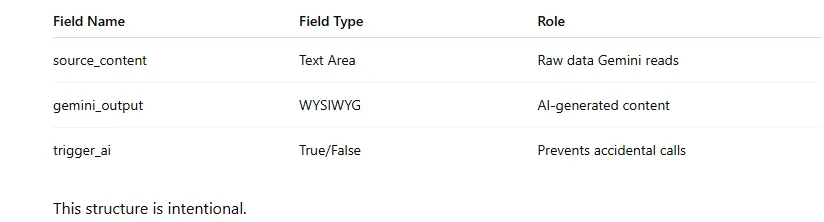
- source_content stays messy, human, and unfiltered
- gemini_output stays polished and publish-ready
- trigger_ai acts as a manual safety switch
Why the Trigger Field Is Non-Negotiable
Without a trigger field:
- Every autosave could hit the API
- Revisions could regenerate content unintentionally
- Costs could spiral quietly
A single checkbox gives editors confidence and developers control.
This small detail separates experiments from production systems.
4. Step 2: The Logic — Connecting to Your Custom Model
This is where most tutorials get it wrong.
They connect to Gemini—but not to your Gemini.
Base Model vs Tuned Model Endpoints
The difference is subtle, but critical.
Base model endpoint:
…/v1beta/models/gemini-1.5-flash:generateContent
Custom-tuned model endpoint:
…/v1beta/tunedModels/your-model-id:generateContent
If you target the wrong endpoint, your tuning is ignored entirely.
You’ll get output—but not your output.
Hooking into WordPress Correctly
The acf/save_post hook is ideal because:
- All ACF values are already saved
- You can read input fields safely
- You can write output fields immediately
This creates a clean, transactional flow:
Save → Process → Store → Exit
No cron jobs.
No front end exposure.
No race conditions.
5. Step 3: The Code Implementation (The Meat)
This is where everything comes together.
Instead of dumping raw code, let’s walk through the logic like an engineer would.
Snippet 1: The API Request Helper
Your helper function should:
- Accept raw input text
- Build the Gemini request payload
- Handle headers and authentication
- Return clean text—or fail silently
Using wp_remote_post() keeps everything WordPress-native and secure.
Key principles here:
- Always set a timeout
- Always check for WP errors
- Never echo errors into the admin UI
AI failures should be logged—not visible.
Snippet 2: Building the Payload
Gemini expects structured JSON.
Inside your payload:
- The contents array holds the prompt
- The generationConfig controls behavior
- Temperature and top_p must respect your tuning
This is important:
Aggressive temperature overrides can sabotage your custom training.
If your model was tuned for precision, keep creativity low. Let the training do the work.
Snippet 3: The Safety Check
Before sending anything to Gemini:
- Confirm the trigger field is enabled
- Confirm source content is not empty
- Confirm output is not already generated
This avoids duplicate calls and editor frustration.
After generation:
- Save output to ACF
- Reset the trigger to false
This creates a clean, repeatable workflow.
6. Step 4: Practical Use Case — Automated SEO Meta & Technical Specs
Let’s make this real.
The Problem
Editors often paste:
- Manufacturer spec sheets
- Bullet-point chaos
- Copy from PDFs or emails
Standard AI models clean it—but lose technical accuracy.
The Custom-Tuned Advantage
A tuned Gemini model trained on:
- Your product catalog
- Your formatting rules
- Your SEO tone
Can transform raw specs into:
- Structured summaries
- On-brand descriptions
- Search-optimized metadata
Before vs After
Standard model output:
- Generic phrasing
- Over-explained features
- Inconsistent terminology
Custom-tuned output:
- Brand-aligned language
- Consistent spec formatting
- SEO-aware phrasing
This isn’t just “better writing.”
It’s institutional knowledge encoded into software.
7. Troubleshooting & Best Practices
Even the best architecture needs guardrails.
Handling Timeouts
PHP has a default execution limit.
If you expect long responses:
- Increase timeout in wp_remote_post()
- Keep prompts focused and structured
- Avoid generating entire blog posts in one call
AI works best in chunks, not monoliths.
Error Logging Without Breaking the UI
Never show API errors to editors.
Use error_log() for:
- HTTP failures
- Invalid responses
- Authentication issues
Editors should never see stack traces.
Securing Your API Keys
Never hardcode keys into theme files.
Use:
- wp-config.php constants
- Environment variables
- Server-level configuration
AI keys are credentials—not config.
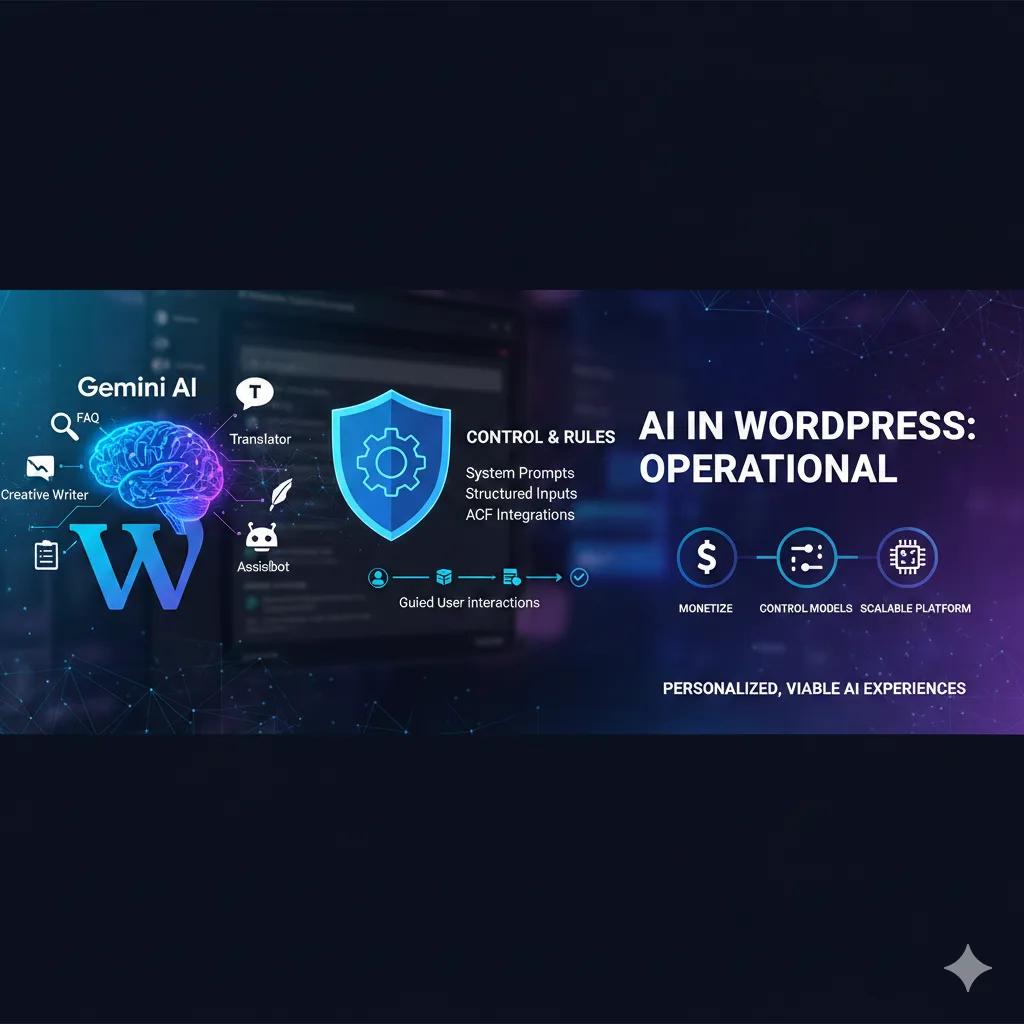
What makes Gemini AI especially compelling inside WordPress is its ability to operate far beyond simple text generation. As demonstrated in real-world theme integrations, Gemini can function as a live assistant, FAQ engine, translator, summarizer, creative writer, and even a data-driven chatbot—all directly inside the WordPress interface. This shows that Gemini isn’t just an external AI service; it’s increasingly becoming a native capability that can be embedded deeply into how WordPress sites interact with users and content.
More importantly, Gemini’s behavior can be shaped through system prompts and structured inputs, allowing site owners to define how the AI thinks before users ever interact with it. Whether it’s guiding users step by step, collecting required context, or waiting for specific inputs before generating results, Gemini operates within clearly defined rules. This same principle applies at the backend level with ACF, where structured fields and triggers ensure AI runs intentionally, predictably, and in alignment with business logic.
The ability to control models, temperature, limits, and even monetize AI-powered tools highlights a critical shift: AI inside WordPress is no longer experimental—it’s operational. When combined with custom-tuned Gemini models and backend integrations like ACF, WordPress evolves from a content system into an intelligent platform capable of delivering personalized, scalable, and commercially viable AI experiences without sacrificing control or consistency.
8. Conclusion: Building “Owned AI” Inside WordPress
Most WordPress AI integrations feel rented.
You borrow intelligence.
You borrow a tone.
You borrow direction.
A custom-tuned Gemini model changes that dynamic completely.
When AI understands your data, your language, and your structure, it stops being a tool and starts becoming infrastructure.
By integrating it through ACF:
- You keep editors in control
- You protect content quality
- You future-proof your CMS
As Google’s AI ecosystem evolves, this approach scales naturally.
You’re not chasing plugins.
You’re building systems.
And that’s the real competitive advantage.
Key Technical Highlight (Remember This)
Pro Tip:
When using a custom-tuned Gemini model, always target the
tunedModels/{your-unique-id} namespace.
Public model endpoints will ignore your tuning entirely, even if authentication succeeds.
This one detail determines whether you’re running generic AI—or truly owned intelligence.
Frequently Asked Questions (FAQs)
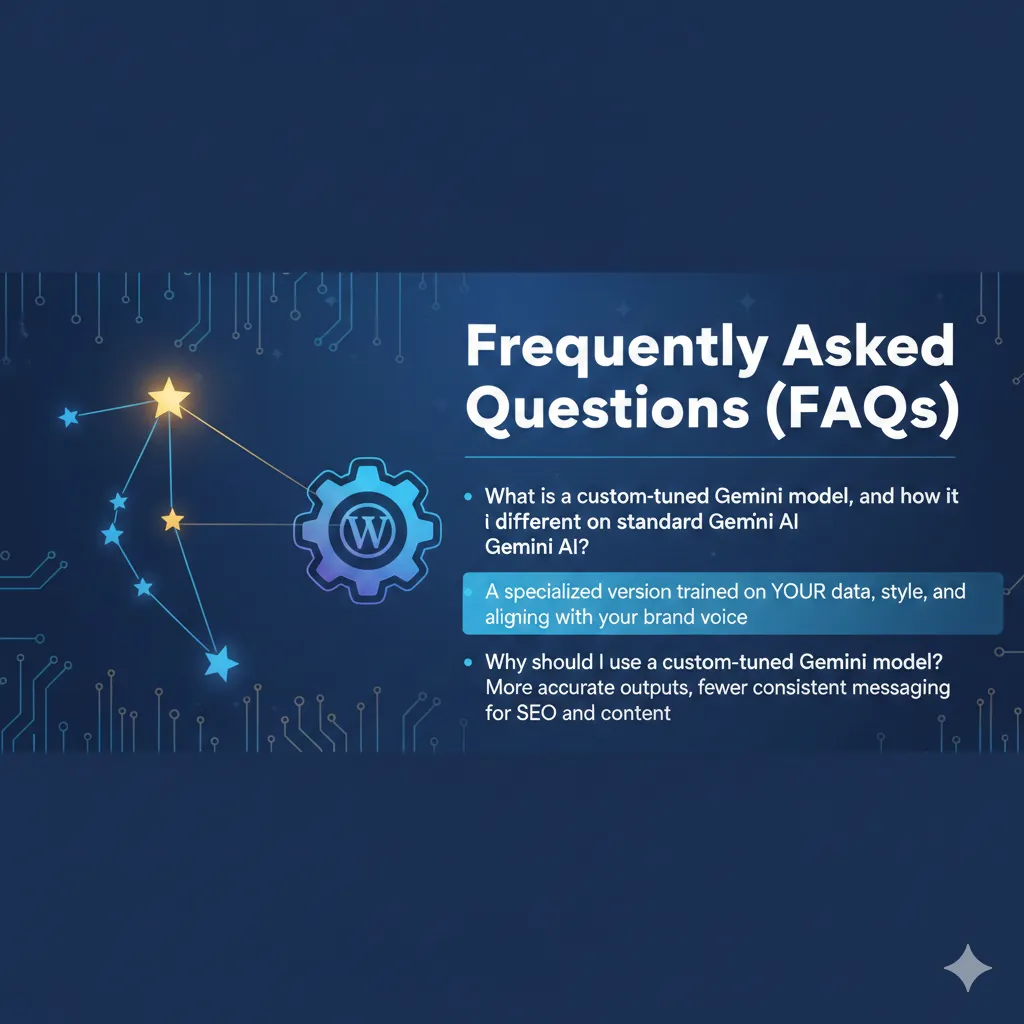
What is a custom-tuned Gemini model, and how is it different from standard Gemini AI?
A custom-tuned Gemini model is a specialized version of Google’s Gemini AI that has been trained on your own data, writing style, and domain rules. Unlike standard Gemini models, which generate generic responses for broad use cases, a tuned model produces content that aligns closely with your brand voice, terminology, and formatting requirements. This makes it far more reliable for professional WordPress websites.
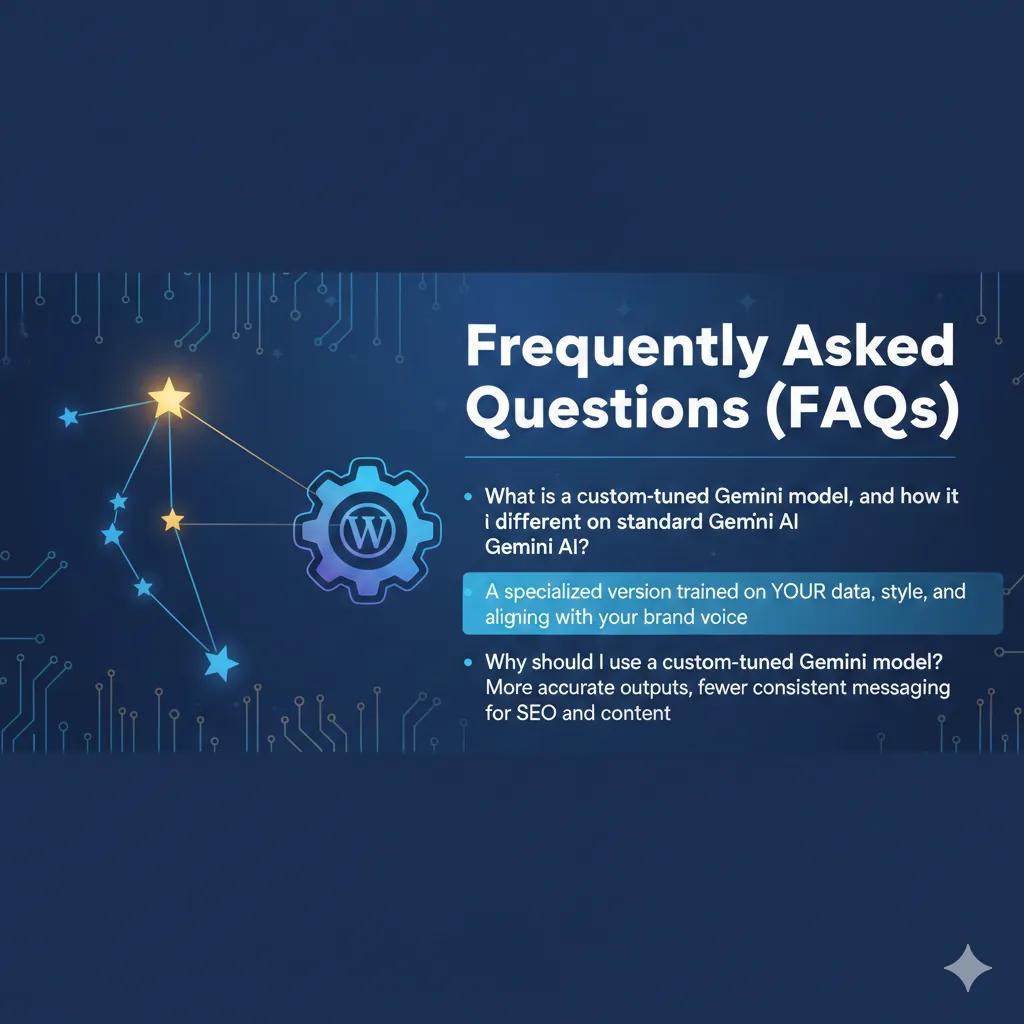
Why should I use a custom-tuned Gemini model instead of a public AI model?
Public AI models are designed to be helpful for everyone, which means they lack specificity. A custom-tuned Gemini model understands your business context, product structure, and content standards. This results in more accurate outputs, fewer revisions, and consistent messaging across your WordPress site—especially important for SEO, technical documentation, and product descriptions.
Why is Advanced Custom Fields (ACF) ideal for integrating Gemini AI in WordPress?
ACF provides a structured and predictable way to manage AI input and output inside WordPress. It allows developers to define where raw data is entered, where AI-generated content is stored, and when AI should run. This separation ensures AI remains a controlled backend process rather than an unpredictable content generator.
How does the Gemini AI integration actually work inside WordPress?
When a post is saved, WordPress checks an ACF trigger field. If enabled, the system sends the raw content from an ACF input field to a custom-tuned Gemini model via Google’s API. Gemini processes the data and returns a response, which is then saved into another ACF field. Editors can review and edit the result before publishing.
What is the tunedModels endpoint, and why is it important?
The tunedModels endpoint is required to access custom-trained Gemini models. If your WordPress integration uses a base model endpoint instead, your custom training will be ignored entirely. Correctly targeting the tunedModels/{model-id} namespace ensures Gemini uses your specialized training data and permissions.
How can I prevent unnecessary Gemini API calls when editing content?
You can prevent unwanted API calls by using a True/False ACF field as a manual trigger. Gemini only runs when this field is enabled, protecting you from accidental calls during autosaves, revisions, or minor content updates. This approach also helps control API costs and performance.
can this integration be used for SEO content generation?
Yes. A custom-tuned Gemini model is especially powerful for SEO tasks such as generating meta titles, meta descriptions, technical summaries, and structured product content. Because the model understands your brand and keyword strategy, the output is more consistent and search-friendly than generic AI content.
Is it safe to use Gemini AI inside the WordPress admin area?
Yes, when implemented correctly. All API calls should run on the server side using WordPress hooks like acf/save_post. API keys should be stored securely using environment variables or wp-config.php, and errors should be logged silently without exposing technical details to editors.
What happens if the Gemini API fails or times out?
If the Gemini API fails, WordPress should log the error without interrupting the admin experience. Editors can continue working normally, and developers can diagnose the issue through server logs. Proper error handling ensures AI never breaks your editorial workflow.
Is this approach scalable for large WordPress websites?
Absolutely. Because the integration is structured, trigger-based, and backend-driven, it scales cleanly across large content libraries. You can expand AI usage to multiple post types, fields, or workflows without redesigning your architecture.
Will this Gemini and ACF integration remain future-proof?
Yes. By relying on official Google APIs and WordPress best practices, this integration can evolve alongside Google’s AI ecosystem. You can update models, retrain Gemini, or expand use cases without rewriting your WordPress logic.
Do I need advanced coding skills to implement this setup?
Basic to intermediate PHP and WordPress knowledge is sufficient. While the concepts are advanced, the actual implementation relies on standard WordPress hooks, ACF field management, and REST API calls.