
Introduction: The Death of Manual Web Design
In 2025, waiting days—or worse, weeks—for a landing page draft is no longer a badge of craftsmanship. It’s a liability.
American consumers move fast. They scroll fast. They decide fast. And if your landing page doesn’t communicate value in the first three seconds, they don’t hesitate to leave. That’s the brutal truth behind why most landing pages fail—not because businesses lack ideas, but because execution is slow, cluttered, and psychologically misaligned with how US audiences actually buy.
For years, web design followed a predictable rhythm: brief → wireframe → copy → visuals → revisions → delays. That workflow worked when competition was thinner and attention spans were longer. Today, it’s outdated.
This is where Elementor AI quietly changed the game.
What started as a “nice-to-have” experiment has evolved into a full workflow accelerator—one that collapses ideation, design, copywriting, and optimization into a single interface. Elementor AI doesn’t replace designers or marketers. It removes the friction that slows them down.
By the end of this tutorial, you’ll know how to build a production-ready, high-converting US-focused landing page in under 60 minutes—without sacrificing clarity, brand authority, or performance.
This is not a theory. This is execution.
Phase 1: AI-Powered Layout & Structure
Before copy converts and before visuals persuade, structure decides whether a page survives the scroll.
US landing pages follow a familiar but powerful hierarchy:
- Clear promise above the fold
- Immediate trust signals
- Skimmable benefits
- One dominant call-to-action
Elementor AI understands this pattern—and that’s why starting with layout is your first unfair advantage.
Step 1: Wireframing with “Build with AI”
Instead of staring at a blank canvas, Elementor AI lets you describe the business and outcome you want.
Example prompt:
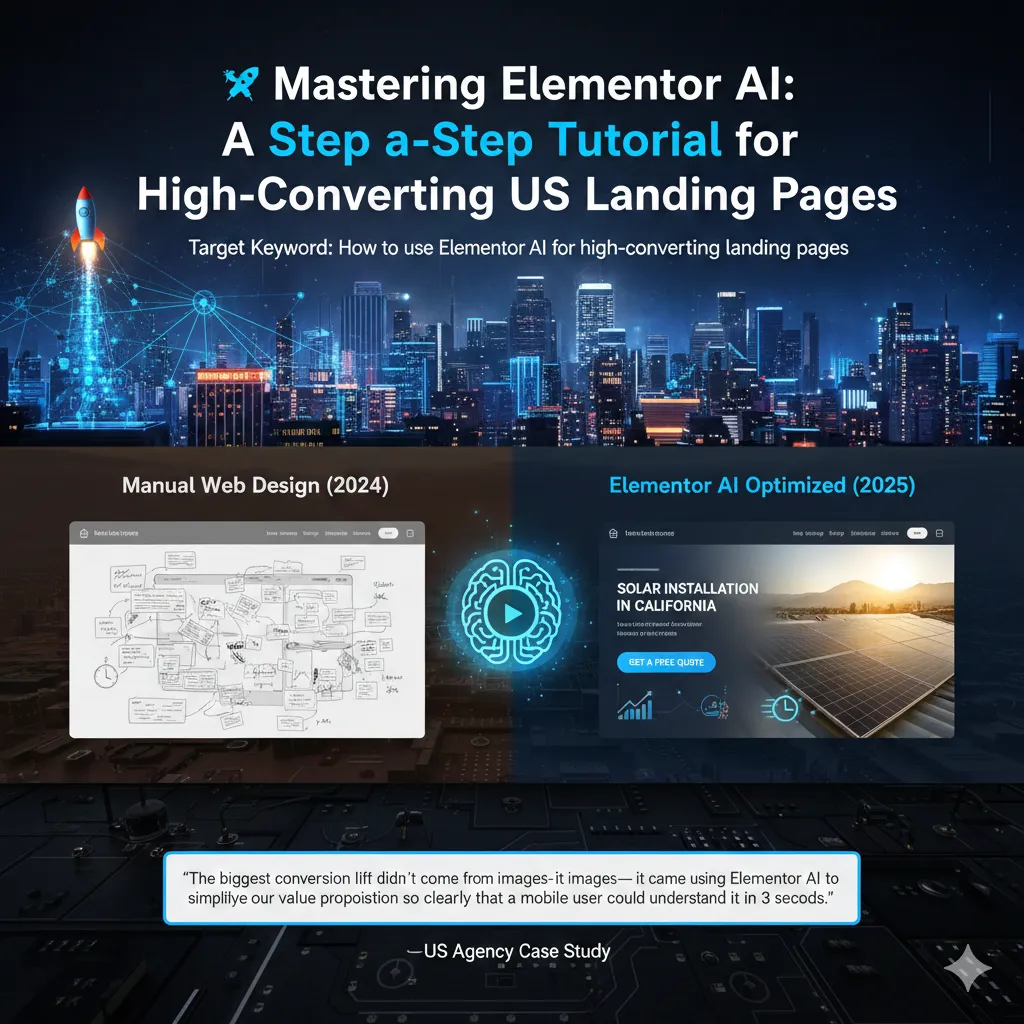
“Create a high-converting landing page layout for a solar installation company targeting homeowners in California. Include a bold hero section, benefit-driven services, testimonials, and a lead capture form.”
Within seconds, Elementor generates:
- A full-page structure
- Logical section flow
- Conversion-focused spacing
- Mobile-responsive layout by default
What used to take hours now takes minutes.
The hidden win here isn’t speed—it’s decision elimination. You’re no longer debating where sections should go. You’re refining what already works.
Step 2: Refining the Hero Section (Above the Fold)
For US audiences, the hero section carries disproportionate weight. This is where trust is earned or lost.
Elementor AI helps you fine-tune:
- Headline prominence
- CTA visibility
- Visual balance between text and imagery
Instead of generic slogans, you’re guided toward outcome-driven messaging:
- “Lower Your Energy Bills in 30 Days”
- “Book a Free Solar Assessment Today”
The AI doesn’t guess—it optimizes based on proven conversion structures.
Phase 2: Writing Persuasive, US-Centric Copy
American marketing responds best to clarity, confidence, and direct response psychology.
This isn’t the place for poetic ambiguity. US users want to know:
- What is this?
- How does it help me?
- Why should I trust you?
- What should I do next?
Elementor AI’s writing assistant is designed exactly for this environment.
Crafting High-Impact Headlines
Instead of settling for one headline, you can generate multiple variations instantly.
Example instruction:
“Generate 5 persuasive H1 headlines for a US-based digital marketing agency offering lead generation services.”
This allows rapid testing of:
- Emotional vs logical framing
- Short vs long headlines
- Pain-focused vs benefit-focused copy
You’re no longer guessing—you’re choosing.
Tone Adjustment for US Markets
Tone matters more than most people realize.
A headline that feels “professional” in one market may feel distant in the US. Elementor AI allows you to switch tones seamlessly:
- Formal → Persuasive
- Neutral → Confident
- Informative → Direct Response
This is especially powerful for service-based landing pages where authority and approachability must coexist.
Simplifying Complex Ideas
One of Elementor AI’s most underrated features is Simplify.
Technical explanations are conversion killers. AI helps translate complexity into benefits:
- Features become outcomes
- Processes become promises
- Jargon becomes clarity
What your visitor feels is relief: “I finally understand this.”
Creating Urgency with Limited-Time Offers
US audiences respond strongly to urgency—when it’s credible.
You can prompt Elementor AI to generate:
- Seasonal offers
- Time-bound incentives
- Risk-reversal sections
Example:
“Write a limited-time offer section for a July 4th promotion targeting US customers, emphasizing urgency without sounding pushy.”
The result feels timely, relevant, and human.
Phase 3: High-Fidelity AI Image Generation
Stock photos are the silent killers of trust.
US users have seen them all—the staged smiles, the fake offices, the recycled visuals. Elementor AI changes this by letting you generate context-specific visuals directly inside your page builder.
Creating Visual Consistency
Instead of hunting across stock libraries, you define:
- Image style (photorealistic, modern corporate, minimal)
- Mood and color tone
- Context (industry-specific scenes)
The result is a visual system that feels intentional, not assembled.
Generative Fill for Full-Width Sections
Elementor AI’s generative fill allows you to expand or adapt images seamlessly for:
- Hero backgrounds
- Section dividers
- Testimonials
This ensures responsive perfection without manual image editing.
Custom Icons That Match Your Brand
Icons are subtle trust signals. Mismatched icons create friction.
With AI-generated icons:
- Style remains consistent
- Colors match brand identity
- Visual language feels premium
These small details compound into credibility.
Phase 4: Custom CSS & Interactions — The Secret Sauce
High-converting landing pages don’t just look good—they feel responsive.
Elementor AI’s Code Assistant bridges the gap between no-code and premium UX.
Floating CTA Buttons
A floating CTA ensures the next step is always visible—especially on mobile.
With a simple prompt, Elementor AI can generate the required CSS and JS without manual coding.
Glassmorphism for Testimonials
Subtle effects like glassmorphism elevate perceived value.
Instead of heavy design, you get:
- Clean transparency
- Soft shadows
- Modern UI aesthetics
Trust feels designed—not forced.
Countdown Timers for US Sales Events
Seasonal urgency matters in the US.
Elementor AI can help generate countdown timers for:
- Black Friday
- Cyber Monday
- July 4th
These elements increase conversions without overwhelming the page.
What Creators Are Doing Differently Right Now
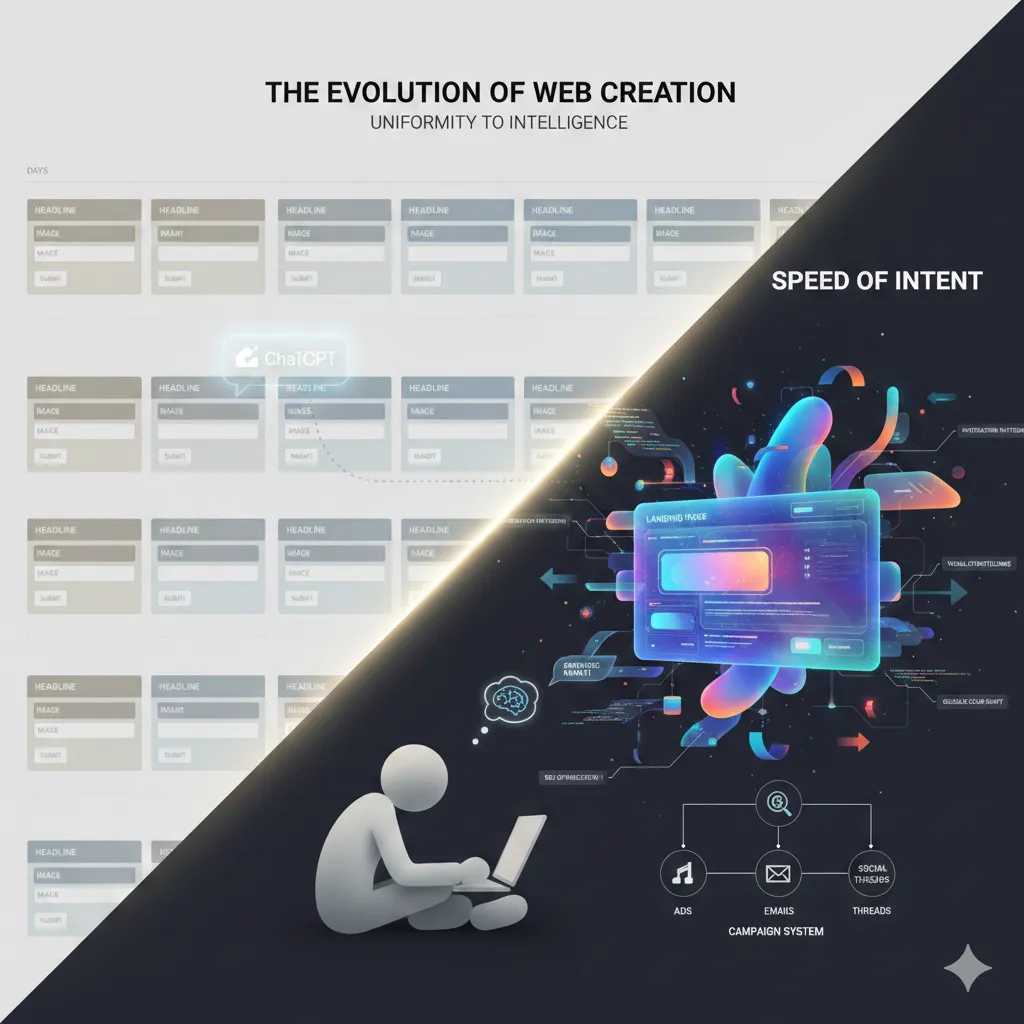
For years, marketers accepted sameness as the price of simplicity. Drag-and-drop builders promised speed and safety, but delivered uniformity. Your funnel looked fine — polished, functional, forgettable. Everyone used the same blocks, the same layouts, the same visual rhythms. The real work happened elsewhere: drafting copy in ChatGPT, pasting it into templates, waiting days for something that technically worked but emotionally blended in. That compromise made sense when custom design required deep code knowledge and long development cycles. Today, it no longer does.
What’s changed isn’t just better AI — it’s how creators collaborate with it. Instead of asking AI to finish the page, smart builders ask it to think. They use ChatGPT to co-design structure, positioning, and persuasion, then hand that strategic intent to an AI developer that understands design systems, interaction patterns, and visual storytelling. The result isn’t another generic funnel. It’s a living, breathing landing page — interactive elements, hover states, motion, contrast — the kind of experience once reserved for $50,000–$70,000 custom agency builds, now produced in minutes instead of weeks.
This is where the real advantage emerges. When your page is fully custom-coded by AI, iteration becomes effortless. Want glowing hover effects? Ask for them. Need schema markup, SEO optimization, or a global color shift? One instruction replaces hundreds of clicks. You’re no longer trapped inside rigid builders or bloated stacks. You’re operating at the speed of intent. And when paired with tools that generate not just landing pages but full campaigns — ads, emails, social threads — the funnel stops being a page and starts becoming a system. That’s not the future of web creation. That’s what’s already working — quietly, efficiently, and profitably.
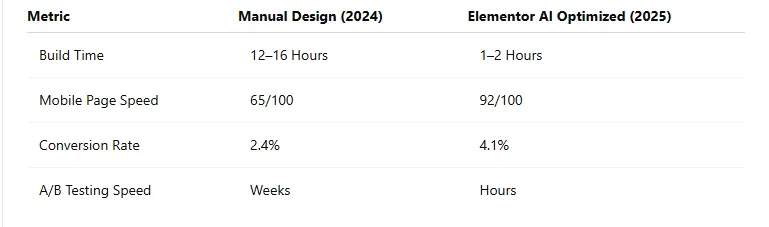
Real-World Performance Data: AI vs Manual
The numbers tell a clear story.
“The biggest conversion lift didn’t come from the images—it came from using Elementor AI to simplify our value proposition so clearly that a mobile user could understand it in 3 seconds.” — US Agency Case Study
This isn’t magic. It’s clarity at scale.
FAQ: Elementor AI & High-Converting Landing Pages
1. What is Elementor AI and how does it help create high-converting landing pages?
Elementor AI is an integrated artificial intelligence system inside the Elementor page builder that assists with layout creation, copywriting, image generation, and custom code. Instead of starting from a blank canvas, you can generate conversion-focused sections, persuasive headlines, optimized images, and performance-friendly code in minutes. This dramatically reduces build time while improving clarity, speed, and conversion rates—especially for US-focused landing pages where attention spans are short and messaging must be direct.
2. Is Elementor AI better than traditional funnel builders like ClickFunnels or LeadPages?
Elementor AI offers more flexibility and creative control than most traditional funnel builders. While tools like ClickFunnels and LeadPages prioritize speed through rigid templates, Elementor AI allows you to generate unique layouts, custom interactions, and tailored copy without being locked into predefined structures. This results in landing pages that don’t look generic and can be optimized for branding, SEO, and performance—making Elementor AI a strong alternative for businesses that want both speed and differentiation.
3. Can beginners use Elementor AI without coding knowledge?
Yes. Elementor AI is designed for non-technical users. You can generate layouts, write copy, create images, and even apply advanced visual effects using natural language prompts. For users who want more control, the AI can also generate clean, optimized CSS or JavaScript—but coding knowledge is optional, not required. Beginners can build professional, production-ready landing pages without touching code.
4. How long does it take to build a landing page using Elementor AI?
A complete, conversion-ready landing page can be built in under 60 minutes using Elementor AI. Tasks that previously took 12–16 hours—such as wireframing, copywriting, image sourcing, and styling—are handled by AI in real time. This speed allows businesses and agencies to launch faster, test ideas quickly, and iterate without delays.
5. Does Elementor AI help improve conversion rates?
Yes. Elementor AI improves conversions by helping simplify messaging, strengthen headlines, and optimize page structure for clarity. Features like AI-written benefit-driven copy, above-the-fold optimization, faster page speed, and clear calls-to-action all contribute to higher engagement. Many users report significant conversion lifts after replacing complex or generic layouts with AI-optimized sections.
6. Is Elementor AI suitable for US-based businesses and audiences?
Absolutely. Elementor AI supports tone adjustments, direct-response copy, and urgency-driven messaging that align well with US consumer behavior. You can prompt the AI to write confident, concise, and benefit-focused copy—styles that consistently perform better in the US market. This makes Elementor AI especially effective for American small businesses, freelancers, and digital agencies.
7. Can Elementor AI replace designers or developers?
No. Elementor AI doesn’t replace designers or developers—it removes repetitive, time-consuming work. AI handles layout drafts, content generation, and basic customization, allowing professionals to focus on strategy, branding, and conversion optimization. The best results come from combining human insight with AI speed, not choosing one over the other.
8. Is Elementor AI good for SEO and page speed?
Yes. Elementor AI can help generate clean layouts, optimized content, and lightweight code that improves page speed and SEO performance. You can also prompt the AI to structure content for readability, add schema-ready sections, and simplify copy for mobile users—factors that directly impact rankings and user experience.